
How to Check Your Google Play Gift Card Balance Easily
In This Article
Quick overview
How to Check Your Google Play Gift Card Balance Easily
Google Play Gift Card Balance: Everything You Need to Know in 2026 Your Google Play gift card balance lets you buy apps, movies, games, and subscriptions across the Play Store with ease. But beyond spending, knowing how to check and manage your balance ensures you never lose track of your digital funds. If you ever […]
Why this matters
Google Play Gift Card Balance: Everything You Need to Know in 2026
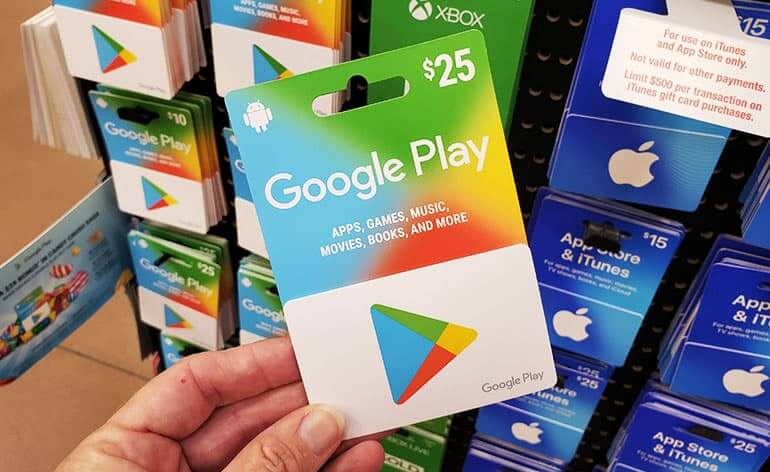
Your Google Play gift card balance lets you buy apps, movies, games, and subscriptions across the Play Store with ease. But beyond spending, knowing how to check and manage your balance ensures you never lose track of your digital funds. If you ever have an unused or excess Google Play gift card balance, you can easily trade it for cash through Xbanka, a trusted platform that helps users convert their gift cards quickly and securely.
How to Check Google Play Gift Card Balance
Keeping track of your funds is easy once you know how to check Google Play gift card balance. This ensures you always know how much credit is left before making a purchase or trading your card. If you discover you no longer need the balance, you can trade your Google Play card on Xbanka for instant cash, a platform that is safe, fast, and convenient.
Check Balance Through the Google Play App
When knowing how to check Google Play gift card balance, firstly:
● Open the Google Play app on your device
● Tap your profile icon
● Select Payments & subscriptions.
● Tap Payment methods.
● Your Google Play balance will be displayed
Verify Gift Card Balance on the Google Play Website
When learning how to check Google Play gift card balance, first visit the Google Play website on your browser and log into your account. Navigate to Payments → Payment Methods, and your balance will appear. You can then use it for purchases or redeem and convert your balance on Xbanka if you prefer cash instead.
Google Play Balance Check: Simple Steps to Keep Track
Performing a Google Play gift card balance check helps you stay updated on your spending and available funds. It’s the best way to manage your digital budget for apps, movies, or subscriptions. And if you decide not to use the remaining balance, you can easily trade your Google Play card on Xbanka, a fast, secure, and reliable platform for exchanging gift cards for cash.
Checking Purchase History and Remaining Funds
To see how you’ve used your balance, go to the Google Play app or website’s Payments & Subscriptions area. You can keep an eye on every transaction and prevent overpaying by using this Google Play gift card balance check approach. Sell your Google Play balance securely on Xbanka once you no longer require your credits.
Viewing Your Current Balance After Redemption
Once your card has been redeemed, you can have a Google Play gift card balance check by opening the Play Store app and looking at your account’s payment options. As soon as you use a new card, your balance is automatically updated. Xbanka allows you to convert the unused balance you have left over into cash if you don’t intend to utilize it.
Troubleshooting Balance Display Issues
Try clearing your cache or signing out and back into your Google account if your Google Play gift card balance check isn’t showing up properly. Google’s servers can take a while to synchronize. Xbanka can assist you in exchanging the card for cash rather than losing its worth.
Where to Use Your Google Play Gift Card Securely
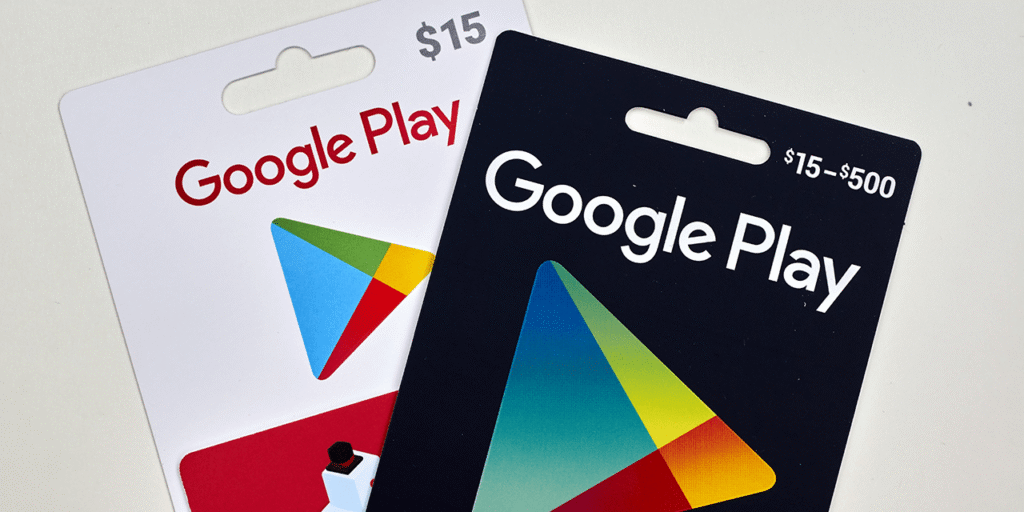
Knowing where to use your Google Play gift card helps you make the most of its value. From apps and games to movies and subscriptions, your balance opens the door to endless digital experiences. But if you’d rather turn your gift card into real cash instead of spending it, Xbanka offers a fast, secure way to trade your Google Play gift card for instant value.
Using Google Play Balance for Apps, Games, and Movies
You may purchase apps, premium games, and movies straight from the Play Store with your Google Play balance if you’re wondering where to use them. You can sell your card on Xbanka, a reliable website that enables you to convert your gift card into cash in a matter of minutes.
Paying for Subscriptions Like YouTube Premium or Cloud Storage
Are you unsure of where to use your Google Play card next? It can be used to pay for in-app subscriptions, Google One online storage, and YouTube Premium. Additionally, Xbanka lets you exchange your unused Play balance for cash quickly and safely.
How to Redeem Google Play Gift Card Safely
Learning how to redeem your Google Play gift card properly ensures you get full access to its value without errors or scams. You can use your balance for apps, games, or subscriptions directly on the Play Store. But if you prefer cash instead of credits, you can redeem and trade your Google Play card through Xbanka, a secure platform that helps you convert gift cards into instant money.
Step-by-Step Guide to Redeem Your Google Play Card
To understand how to redeem your Google Play card:
● Open the Play Store app
● Tap your profile icon
● Click on Payments & Subscriptions
● Then select redeem code
Redeeming via the Google Play Website or App
You can also learn how to redeem through the Google Play website. Simply visit play.google.com/redeem, sign in, and enter your code. Your balance will update immediately. And if you’d rather not spend it on Play Store items, Xbanka allows you to exchange that redeemed balance for quick cash payouts.
Common Errors and How to Fix Them
Sometimes, users experience issues during the how to redeem process, like invalid codes or region errors. Ensure the card matches your Google account region and is not previously used. If it still doesn’t work, don’t let your card go to waste. Xbanka can help you trade even hard-to-use Google Play cards for value safely.
Conclusion
Managing your Google Play gift card balance doesn’t have to be complicated. From learning how to check, where to use, and how to redeem your card, you can now make the most of every credit on your Play account. But if you ever have unused or unwanted cards, don’t let them sit idle. Xbanka offers a safe, fast, and reliable way to trade your Google Play gift cards for cash. Whether you’re a gamer, app lover, or just want instant value, Xbanka ensures your digital credits never go to waste.
FAQs
1. Can I trade my Google Play gift card for cash?
Yes! Platforms like Xbanka allow you to safely exchange your Google Play card for cash, offering a quick and reliable payout process.
2. What can I use my Google Play balance for?
You can buy apps, games, movies, or subscriptions like YouTube Premium and Google One storage.
3. How do I redeem a Google Play gift card?
Open the Play Store app, go to Redeem Code, and enter your gift card code. Your balance will be added instantly.
4. What if my Google Play card doesn’t work?
Double-check your code, region settings, and account. If it still doesn’t work, you can trade your card on Xbanka to recover its value safely.